
How to Easily Copy a Snapchat Profile, Story, or Highlight Link!
1. How to Copy a Snapchat Profile Link
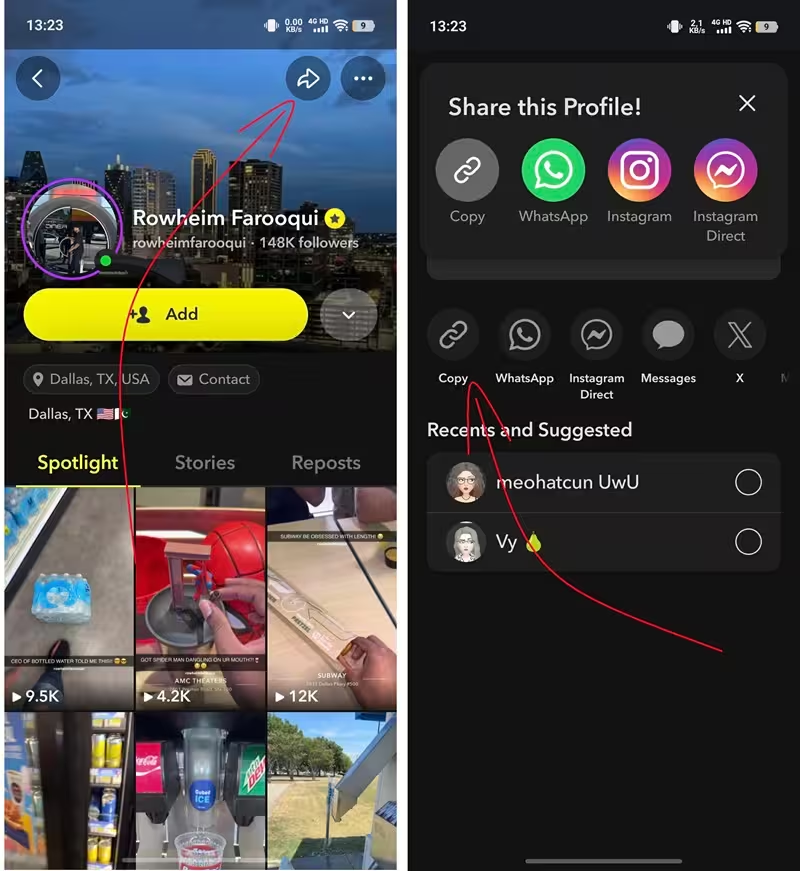
Step 1: Open the Snapchat app on your phone, or head to Snapchat.com on your computer.Step 2: Search for the username you want the link for — for example, snapviewer88.Step 3: Go to their profile page. If you're on the web, you'll see the URL right there in your browser's address bar.Step 4: Using the mobile app? Tap the three-dot icon (•••) or the share icon on their profile, then select "Copy Link."Step 5: That's it! Now you can paste the link into WhatsApp, Gmail, Facebook, or anywhere else — or drop it into Snap-viewer.com to start viewing profiles and stories anonymously. 📌 Example: https://www.snapchat.com/@snapviewer88
2. How to Copy a Snapchat Story Link
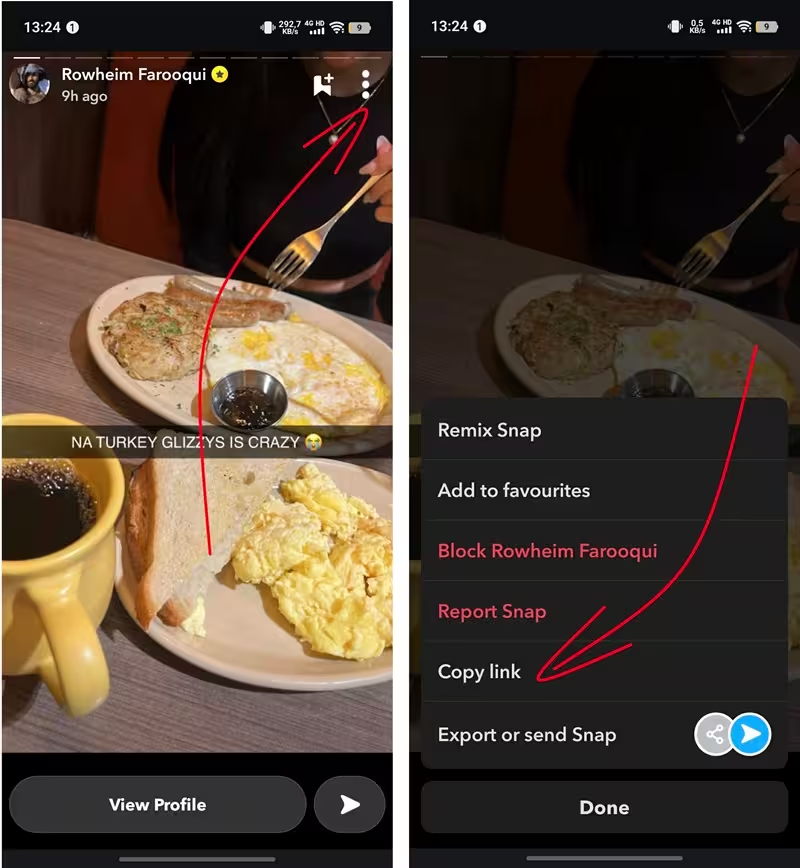
Step 1: Open the user's profile (e.g., @snapviewer88).Step 2: Tap the "Stories" tab.Step 3: Pick the specific story you want to share (each story comes with its own unique ID).Step 4: Tap the Share icon → select "Copy Link."📌 Example: https://www.snapchat.com/@snapviewer88/xxxx
3. How to Copy a Snapchat Spotlight Link
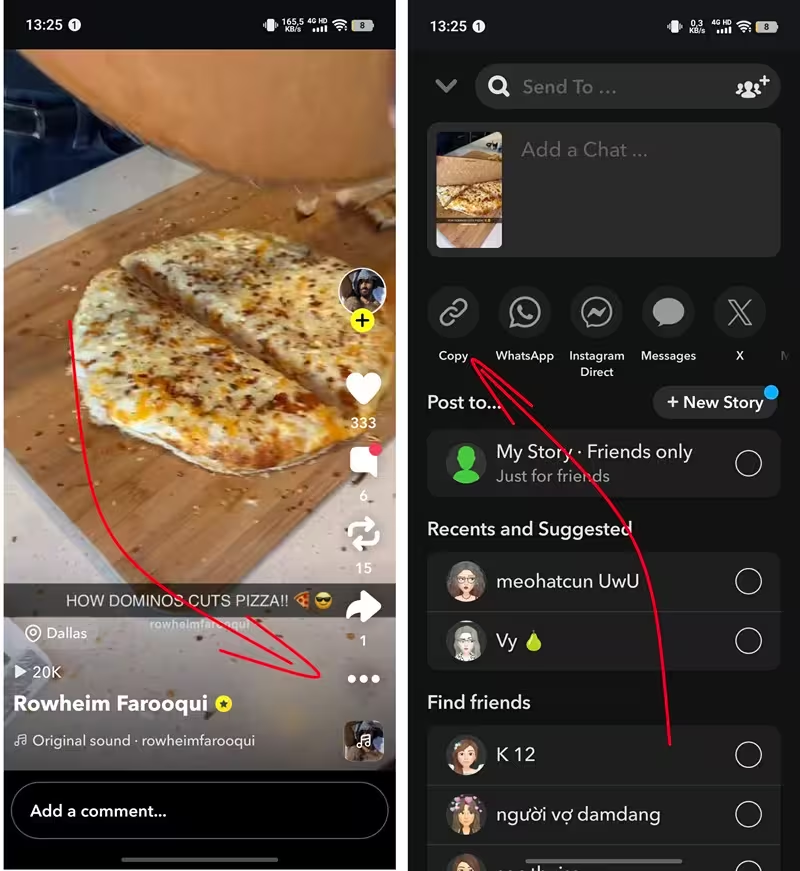
Step 1: Go to the user's profile and open the "Spotlight" tab.Step 2: Tap the specific Spotlight video you want to grab the link for.Step 3: Tap the share icon in the corner of the video.Step 4: Select "Copy Link" to save the URL to your clipboard.📌 Example: https://www.snapchat.com/@snapviewer88/spotlight/xxxx
4. How to Copy a Snapchat Highlight Link
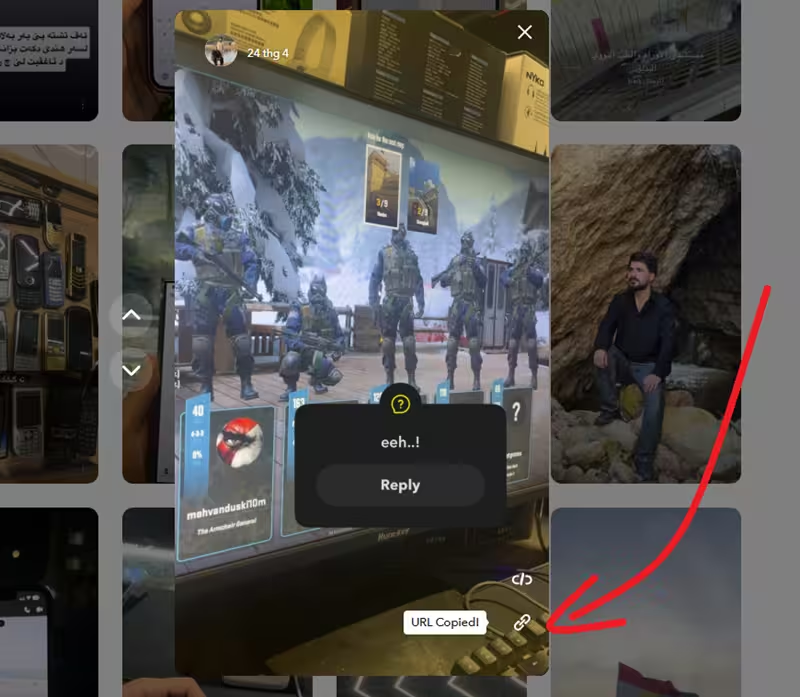
Step 1: On the profile page, find the "Highlights" section (these are pinned/saved stories).Step 2: Choose the specific Highlight you'd like to share.Step 3: Tap the share icon → "Copy Link."📌 Example: https://www.snapchat.com/@snapviewer88/highlight/34d3634
5. How to Copy a Snapchat Lens Link
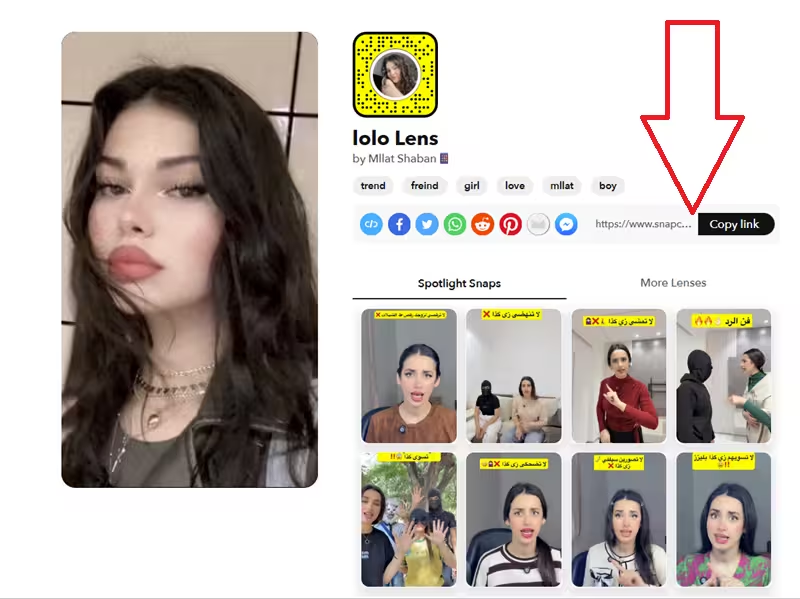
Step 1: Open the "Lenses" section in the app or on the Snapchat website.Step 2: Select the Lens you want to share (each one has its own unique ID assigned via Snap AR/Lens Studio).Step 3: Tap the Share button → choose "Copy Link"📌 Example: https://www.snapchat.com/lens/xxx