View Snapchat Spotlight Anonymously
Browse Snapchat Spotlight collections anonymously. Open any collection to check video lists, views, likes, comments, shares, and download Full HD Spotlight videos.
Have you ever wanted to watch Snapchat Spotlight videos without leaving a trace? Snapchat Spotlight Viewer lets you view and download public Spotlight videos privately, with no app to install and no account to sign in. You can use it in just a few clicks on almost any device. Let's explore how it works and what makes it so convenient.
How to Use Snapchat Spotlight Viewer in 3 Simple Steps
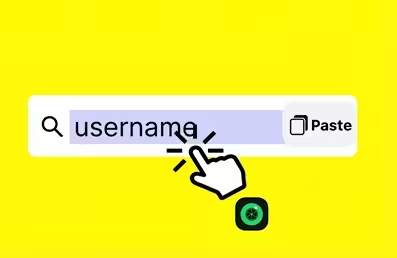
Step 1: Visit SnapViewer
Open your browser on your phone or computer, then go to https://snap-viewer.com
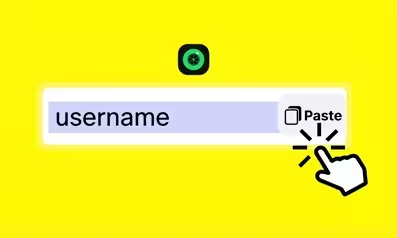
Step 2: Paste the Username or Profile Link
Enter the Snapchat username or paste the public profile link into the search box.

Step 3: Click Search and Start Watching Spotlight
Click the search button to find the profile. You can then start watching public Spotlight videos right away.
Why Choose SnapViewer to View and Download Spotlight?
1. No account login required: Stay completely anonymous and keep your personal information private.
2. Super-fast processing: Get results in less than 3 seconds.
3. High success rate: View public Spotlight videos with up to a 99% success rate.
4. No risk of being noticed: The person who posted the Spotlight will not know you viewed it.
5. Completely free: Pay nothing and avoid hidden charges.
6. Download videos in original quality: Save Spotlight videos in Full HD while keeping the same sharp quality as on Snapchat.
Tips for a Better Experience While Using Snap Spotlight Viewer
Use the correct username or profile link: Enter the exact username or profile link, such as @snapviewer or snapviewer. Avoid spelling mistakes.
Check public accounts first: Only public Snapchat profiles display Spotlight content.
Download photos or videos easily: Click the Download button to save the original file to your phone or computer.
Avoid sending too many requests in a row: There is no fixed daily usage limit, but spacing out your searches helps keep the experience stable.
Use the latest browser version: Update Chrome, Safari, Firefox, or another supported browser for the best compatibility.
Turn off ad blockers if needed: Disable your ad blocker if the page does not load completely.
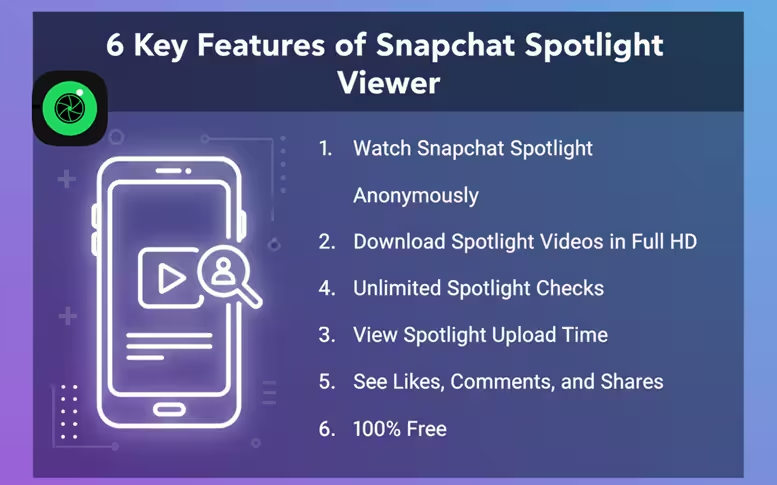
6 Key Features of Anonymous Snapchat Spotlight Viewer!
1. Watch Snapchat Spotlight Anonymously
You can watch public Snapchat Spotlight videos without worrying about being noticed. Anonymous viewing lets you explore content privately and more comfortably.
2. Download Spotlight Videos in Full HD
The download feature saves your favorite Spotlight videos in Full HD with only a few simple steps. The process stays quick and does not require a complicated setup.
3. Unlimited Spotlight Checks
The platform allows unlimited Spotlight searches without placing a fixed limit on daily use. This feature works well for personal use and for anyone who regularly follows or analyzes Spotlight content.
4. View Spotlight Upload Time
Snapchat Spotlight Viewer shows when a Spotlight video was posted. This information helps you identify newer content and keep up with recent trends.
5. See Likes, Comments, and Shares
The viewer displays important engagement statistics, including likes, comments, and shares. These numbers make it easier to understand how popular each Spotlight video is.
6. 100% Free
Every feature is available at no cost. The platform does not require subscription fees or hidden payments, so you can use it whenever you need it.
Frequently Asked Questions for Snapchat Spotlight!
Why are some Spotlight posts not available?
Some Spotlight posts may not appear because the account is private, the video has been deleted, or the content is not public yet. Try another username or confirm that the profile is public. A slow internet connection or a temporary limit may also return no results.
Can I view private Spotlight posts?
No. The tool only supports viewing and downloading content from public Snapchat accounts. Snapchat protects private Spotlight content, so you cannot access it.
Is Snapchat Spotlight Viewer safe?
Yes. You do not need to sign in to your Snapchat account or provide your password or other sensitive information. Everything works directly in your browser.
Do I need to install an app or software?
No. Simply open the website in your browser, and you can use it right away on your phone or computer.
Do downloaded Spotlight videos keep their original quality?
Yes. Downloaded Spotlight videos keep the original Full HD quality from Snapchat without compression or reduced clarity.
Can I use this tool on a phone or computer?
Yes. The tool works smoothly on iPhones, Android phones, tablets, Windows computers, and Mac devices.
Does using this tool violate Snapchat's terms?
The tool only supports viewing public content shared through Spotlight. You should respect content creators and use the tool only for lawful personal purposes.
How can I fix Spotlight viewing errors?
Try refreshing the page, checking the username or profile link, switching to another browser, turning off your ad blocker, or waiting a few minutes before trying again. A stable internet connection also helps.
Is there a daily usage limit?
No. The tool does not have a fixed daily usage limit. Avoid sending too many requests in a short time to keep your experience smooth.
Can I view deleted Spotlight videos?
No. Once a Spotlight video has been removed from Snapchat, the tool cannot recover or display it.
Does SnapViewer save your viewing history?
No. SnapViewer does not store your viewing history or any of your data while you use the tool.